Category: Lighting

  • Desk Lamp Brightness Guide: How Many Lumens Do You Actually Need?

    Desk Lamp Brightness Guide: How Many Lumens Do You Actually Need?

    This article includes affiliate links. We may earn a commission on qualifying purchases, at no additional cost to you.

    Choosing a desk lamp often focuses on style and adjustability, but brightness is what determines whether you’ll actually be able to work comfortably. Too dim and you’ll strain your eyes; too bright and you’ll deal with glare and headaches. Understanding lumens—the measurement of light output—helps you pick the right lamp for your specific tasks without guessing.

    What Are Lumens and Why They Matter for Desk Lighting

    Lumens measure the total amount of visible light a bulb or fixture produces. Unlike watts, which measure energy consumption, lumens tell you how much light you’re actually getting. A 60-watt incandescent bulb produces about 800 lumens, but an LED can deliver the same brightness using only 8-10 watts.

    For desk work, lumens determine whether you have enough light for reading, typing, or detailed tasks without creating harsh shadows or overly bright spots. Most desk lamps range from 200 to 1,200 lumens, and the right level depends on your work type and ambient lighting conditions.

    Recommended Lumen Ranges by Task Type

    General computer work and email typically requires 300-500 lumens. Your screen provides its own light, so you need enough ambient brightness to reduce contrast between the screen and your surroundings without overwhelming the display.

    Reading, writing, and paperwork benefit from 450-750 lumens directed at your work surface. This provides clear visibility for printed materials and handwritten notes without creating harsh reflections on glossy paper.

    Detailed tasks like drawing, crafting, or circuit work need 750-1,200 lumens. These activities demand high contrast and shadow-free illumination to see fine details clearly. If you regularly work with small components or precise measurements, aim for the higher end of this range.

    Adjustability Matters More Than Maximum Output

    A lamp with 1,000 lumens at full brightness isn’t useful if you can’t dim it for lighter tasks. Based on published specifications and customer feedback, dimmable lamps offer the most versatility because your lighting needs change throughout the day.

    Morning work sessions might need less brightness if you have natural window light, while evening tasks require more output. A rechargeable LED desk lamp with multiple brightness levels (affiliate link) lets you dial in the exact amount of light you need instead of settling for one fixed output.

    Look for lamps with at least three brightness levels or continuous dimming. This flexibility is especially valuable if you share your workspace with others or if your desk serves multiple purposes beyond work hours.

    How Room Lighting Affects Your Desk Lamp Requirements

    If you already have overhead lighting, you may need fewer lumens from your desk lamp. Layering your desk lighting means combining ambient room light with focused task lighting, so a 300-400 lumen desk lamp might be sufficient when paired with ceiling fixtures.

    Working in a room with no overhead fixture changes the equation. Your desk lamp becomes the primary light source, so you’ll want 600-900 lumens to adequately illuminate both your work surface and the surrounding area. The lamp needs to cover more territory without leaving dark zones that increase eye strain.

    Corner desks and windowless rooms also benefit from higher lumen counts because there’s less reflected light bouncing around the space. Dark wall colors absorb light rather than reflecting it, which means you need more initial output to achieve comfortable brightness levels.

    Beam Angle and Color Temperature Also Impact Perceived Brightness

    Two lamps with identical lumen ratings can feel very different depending on beam angle. A narrow spotlight concentrates lumens into a small, intense circle, while a wide diffused beam spreads the same lumens across a larger area with softer overall brightness.

    For general desk work, look for beam angles between 60-90 degrees. This provides focused light on your immediate work area without creating a spotlight effect. Wider angles work better if you need to illuminate a large desk surface or multiple zones.

    Color temperature also affects how bright a light feels. Cooler temperatures (5000K-6500K) tend to feel brighter and more energizing at the same lumen count compared to warmer tones (2700K-3000K). If you’re working late and want to reduce eye strain, consider a lamp that lets you adjust both brightness and color temperature independently.

  • How to Light a Home Office With No Overhead Fixture (Your Options)

    How to Light a Home Office With No Overhead Fixture (Your Options)

    This post contains affiliate links. If you buy through these links, we may earn a commission at no extra cost to you.

    Not every home office comes with overhead lighting. Spare bedrooms, basement corners, and converted closets often lack ceiling fixtures entirely, leaving you with dim, uneven lighting that strains your eyes and saps your focus. The good news is that you don’t need an electrician or major renovation to build a well-lit workspace. With the right combination of freestanding, clipped, and task lighting, you can create bright, comfortable illumination from the ground up.

    Start With a Tall Floor Lamp for Ambient Light

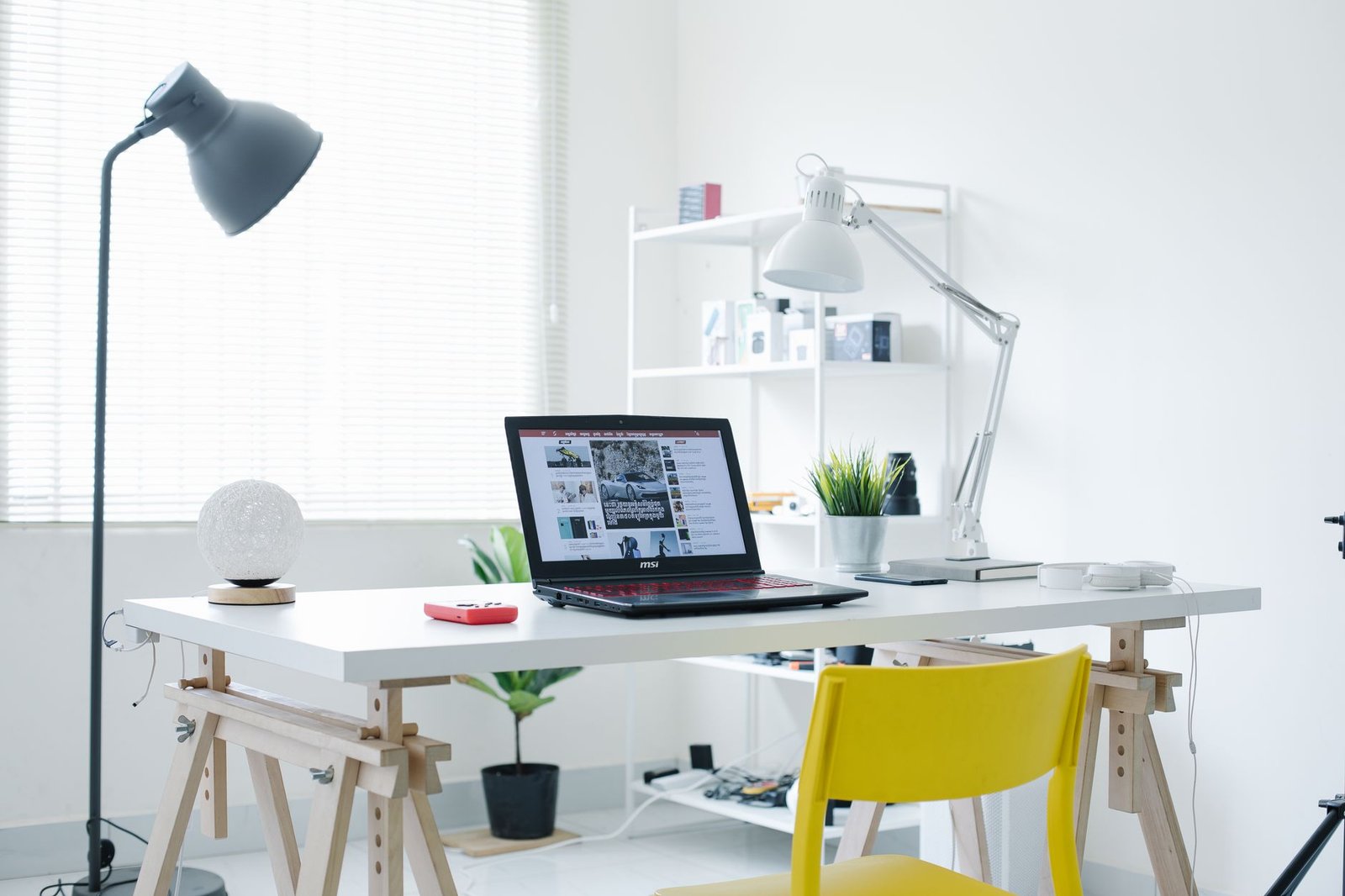
    A tall floor lamp—ideally 60 to 72 inches high—provides broad, ambient light that mimics the coverage of a ceiling fixture. Position it behind or beside your desk so the light diffuses across the room without casting harsh shadows on your monitor. Look for models with adjustable heads or multi-bulb designs that spread light in multiple directions. Torchiere-style lamps that bounce light off the ceiling work especially well in rooms with white or light-colored ceilings, creating soft, indirect illumination similar to overhead fixtures.

    Add a Desk Lamp for Focused Task Lighting

    Ambient light alone won’t cut it for detail work, reading documents, or writing notes. A dedicated desk lamp gives you direct, adjustable light exactly where you need it. Based on published specifications and customer feedback, swing-arm or gooseneck models offer the most flexibility for positioning light without taking up valuable desk real estate. A rechargeable LED desk lamp (affiliate link) eliminates the need for outlets near your desk and can be repositioned easily. Pay attention to brightness levels—aim for at least 400 lumens for reading and computer work. If you’re unsure about what color temperature should your desk lighting be, neutral white (3500–4500K) balances focus and comfort for most tasks.

    Use Clip-On Lights for Shelves and Vertical Surfaces

    Clip-on lamps are underrated for offices without overhead lighting. Attach them to shelves, bookcases, or the edge of a monitor to add supplemental light from unexpected angles. They’re especially useful for illuminating dark corners, closet-office setups, or areas behind your monitor that a desk lamp can’t reach. Because they draw power from a USB port or battery, clip-on lights keep your cord count low and don’t require nearby outlets. Position them to point toward walls or ceilings for reflected light, or aim them downward for focused task lighting on secondary work surfaces.

    Layer Your Lighting to Avoid Dark Zones

    The secret to a well-lit office with no overhead fixture is layering. Combine ambient light (floor lamp), task light (desk lamp), and accent light (clip-on or wall-mounted fixtures) to eliminate shadows and create even coverage. Avoid relying on a single bright source, which creates harsh contrast and increases eye strain. Instead, distribute light around the room at different heights and angles. This approach not only improves visibility but also reduces eye strain by softening transitions between bright and dark areas.

    Power Your Setup Without Overloading Outlets

    Multiple lamps mean multiple plugs. If your room has limited outlets, invest in a quality surge-protected power strip with at least six outlets and USB ports for charging lamps or accessories. Route cords along baseboards or behind furniture to keep them out of sight and prevent tripping hazards. Battery-powered or rechargeable lamps reduce dependence on outlets and give you more flexibility in lamp placement, especially for clip-on or portable accent lights. Plan your power layout before you buy lamps—knowing where outlets are located will help you choose between plug-in and rechargeable models.

  • Do You Need a Desk Lamp If You Have Overhead Lighting? (The Honest Answer)

    Do You Need a Desk Lamp If You Have Overhead Lighting? (The Honest Answer)

    This article includes affiliate links. We may earn a commission on qualifying purchases, at no additional cost to you.

    If your home office already has overhead lighting, you might wonder whether adding a desk lamp is overkill. The short answer: overhead lighting alone rarely provides the focused, adjustable illumination your workspace needs. While ceiling fixtures light an entire room, they often create shadows on your work surface, force you into suboptimal color temperatures, and can’t adapt to different tasks throughout the day. Here’s what you need to know about combining overhead and task lighting effectively.

    Why Overhead Lighting Alone Falls Short

    Ceiling-mounted fixtures are designed to provide general ambient light, not precision task lighting. When overhead light is your only source, it hits your desk at a fixed angle that typically creates shadows from your head, hands, and monitor. This forces your eyes to constantly adjust between bright and dim zones, accelerating eye fatigue during long work sessions.

    Most overhead fixtures also lock you into a single color temperature and brightness level. That might be fine for walking through a room, but it’s rarely ideal for reading documents, reviewing detailed spreadsheets, or video calls where flattering light matters. You’re stuck with whatever the builder or previous owner installed, which may be a warm 2700K bulb better suited for a living room than focused work.

    When Overhead Lighting Is Enough (Rare Cases)

    There are limited scenarios where overhead lighting can work without supplemental task lighting. If you work almost entirely on a backlit screen with minimal paper documents, and your overhead fixture is directly above your desk with diffused, glare-free coverage, you might manage without a lamp. Small writing tasks or quick email checks don’t demand the same lighting precision as hours of concentrated work.

    Similarly, if your desk sits near a large window with excellent natural light for most of your working hours, overhead lighting might suffice as a supplement during darker periods. But even in these cases, you lose the flexibility to adjust brightness and direction as tasks change throughout the day.

    The Benefits of Adding a Desk Lamp

    A dedicated desk lamp gives you control that overhead lighting simply can’t match. You can adjust brightness for different tasks—dimmer for screen-heavy work to reduce eye strain, brighter for reading printed materials. You can position light exactly where you need it, eliminating the shadows that overhead fixtures create on your keyboard and documents.

    Modern desk lamps also let you switch color temperature to match your work and circadian rhythm. Cooler light in the morning boosts alertness, while warmer tones in the evening reduce blue light exposure before bedtime. If you’ve already optimized how to position your desk lamp to avoid screen glare, you know how much difference proper task lighting makes for monitor work.

    A quality rechargeable LED desk lamp with adjustable brightness and color temperature (affiliate link) provides the flexibility overhead lighting lacks, and many models include USB charging ports that double as practical desk accessories.

    How to Combine Both Lighting Types

    The best home office lighting strategy uses both overhead and task lighting together. Keep your overhead fixture on a dimmer setting to provide gentle ambient light that reduces harsh contrast between your bright desk and the rest of the room. This prevents the cave-like effect of working in a dark room with only a desk lamp, which can strain your eyes over time.

    Use your desk lamp as the primary light source for your immediate work area. Position it to the side opposite your dominant hand to minimize shadows when writing, and angle it away from your monitor to prevent reflections. This layered approach gives you the ambient coverage of overhead lighting plus the precision control of task lighting.

    Making the Right Choice for Your Setup

    Unless your overhead lighting is exceptionally well-positioned and adjustable, a desk lamp is worth adding to your workspace. The investment is minimal compared to the daily comfort and productivity gains. Consider your specific work: if you frequently switch between screen work, reading, and writing, adjustable task lighting becomes even more valuable.

    Your lighting needs also connect to your broader desk organization. Poor lighting can make cable management mistakes harder to spot and fix, and insufficient task lighting often leads people to cram more gear onto their desk hunting for better illumination. A single, well-chosen desk lamp solves the problem more elegantly than any amount of overhead fixture tinkering.

  • What Color Temperature Should Your Desk Lighting Be? (And Why It Matters)

    What Color Temperature Should Your Desk Lighting Be? (And Why It Matters)

    This post contains affiliate links. If you buy through these links, we may earn a commission at no extra cost to you.

    Most people choose desk lighting based on brightness alone, but color temperature plays an equally important role in how well you work and how comfortable you feel. Measured in Kelvin (K), color temperature determines whether your light looks warm and amber or cool and blue-white. Picking the wrong temperature can lead to eye strain, difficulty focusing, or an office that just feels off. Here’s how to choose the right one for your setup.

    Understanding the Kelvin Scale

    Color temperature is measured in Kelvin, with lower numbers producing warmer, yellower light and higher numbers producing cooler, bluer tones. Standard desk lighting typically falls between 2700K and 6500K. Warm white (2700K–3000K) resembles incandescent bulbs and creates a cozy atmosphere. Neutral white (3500K–4500K) mimics natural daylight and works well for most office tasks. Cool white (5000K–6500K) delivers crisp, energizing light that’s common in commercial settings.

    Understanding where your lighting falls on this scale helps you match it to your work style and the time of day you’re most productive.

    Best Color Temperatures by Task Type

    Different work requires different lighting. For detail-oriented tasks like reading contracts, editing photos, or reviewing spreadsheets, cooler temperatures (4500K–6500K) provide sharper contrast and help maintain alertness. Creative work such as sketching, brainstorming, or writing benefits from neutral to warm tones (3000K–4500K), which feel less clinical and reduce mental fatigue during longer sessions.

    If you do video calls regularly, aim for 4000K–5000K. This range mimics natural daylight and ensures your skin tone looks accurate on camera without the harsh shadows that cooler bulbs can create. For late-night work, warmer tones (2700K–3500K) are gentler on your eyes and less likely to disrupt your sleep cycle.

    Layering Different Temperatures

    Many productive setups use more than one color temperature at once. Overhead ambient lighting can sit at 3000K–4000K to create a comfortable baseline, while your task light—positioned to avoid glare—might be 5000K for focused work. This approach gives you flexibility without needing to swap bulbs.

    If you want even more control, consider a rechargeable LED desk lamp with adjustable color temperature (affiliate link). These models let you shift between warm and cool settings depending on whether you’re winding down or pushing through a deadline. Pairing adjustable lighting with a layered lighting strategy can significantly improve comfort and focus throughout the day.

    Avoiding Common Mistakes

    One frequent error is using only cool, high-Kelvin lighting all day. While 6000K bulbs feel bright and energizing in the morning, they can cause eye strain and headaches by afternoon. Another pitfall is mismatched temperatures—mixing a 2700K desk lamp with 5500K overhead LEDs creates a jarring contrast that makes it hard to focus.

    Also avoid placing very warm bulbs in small, windowless spaces. Without natural light to balance them, 2700K lamps can make a home office feel dim and uninviting, even when they’re technically bright enough.

    Adjusting for Natural Light

    If your desk sits near a window, your artificial lighting should complement the sunlight you’re already getting. During the day, natural light hovers around 5000K–6500K, so a neutral or cool desk lamp (4000K–5000K) blends seamlessly. In the evening or on overcast days, you can switch to warmer tones to maintain visual consistency as daylight fades.

    Dimmer switches or smart bulbs give you the flexibility to adjust intensity and temperature based on how much sun is coming in. This prevents your space from feeling too yellow in the morning or too blue at night, and it keeps your eyes comfortable across different lighting conditions.

  • How to Layer Your Desk Lighting for Better Focus and Comfort

    How to Layer Your Desk Lighting for Better Focus and Comfort

    This post contains affiliate links. If you buy through these links, we may earn a commission at no extra cost to you.

    Most home office setups rely on a single overhead light or desk lamp, but that one-dimensional approach often leads to harsh shadows, screen glare, and afternoon eye fatigue. Layered lighting—combining ambient, task, and accent light sources—creates a workspace that adapts to different times of day and work modes. Here’s how to build a lighting setup that supports focus without straining your eyes.

    Why Single-Source Lighting Doesn’t Work

    Relying on one ceiling fixture or a single desk lamp creates uneven brightness across your workspace. If your primary light is behind you, your monitor may show reflections. If it’s directly overhead, paperwork and your keyboard sit in shadow while the screen looks washed out. This contrast forces your eyes to constantly adjust between bright and dim zones, which compounds fatigue during long work sessions. Layering eliminates these extremes by distributing light more evenly.

    The Three Layers: Ambient, Task, and Accent

    Ambient lighting provides general room illumination—think ceiling fixtures, recessed lights, or a floor lamp in the corner. This base layer should be soft and indirect to avoid creating glare on your screen. Task lighting directs focused brightness exactly where you need it: your keyboard, notebook, or a specific work surface. A clip-on or freestanding desk lamp positioned correctly is the most common task light. Accent lighting is optional but useful for reducing screen contrast in dim environments; a small LED strip behind your monitor or a low-wattage lamp on a shelf adds depth without distracting brightness.

    How to Position Each Layer

    Start with ambient light that’s dimmable if possible, set to roughly 300–500 lux during daytime work. Your task lamp should sit to the side of your dominant hand to prevent shadows—positioning your desk lamp to avoid screen glare means angling it so the bulb isn’t visible in your monitor’s reflection. If you’re adding accent lighting, place it behind or beside your monitor rather than in front; this creates a subtle glow that reduces the sharp contrast between a bright screen and a dark wall, which is especially helpful during evening hours.

    Matching Color Temperature Across Layers

    Mixing a cool-white overhead light (5000K+) with a warm task lamp (2700K) can make your workspace feel disjointed and strain color perception. Aim to keep all layers within the same temperature range, or use adjustable bulbs that let you shift between warm and cool modes. For most productivity-focused setups, 3000–4000K neutral white works well across all three layers, offering clarity without the clinical feel of daylight-spectrum bulbs. If you prefer warmer tones in the evening, coordinate all sources to that range rather than leaving one mismatched.

    Budget-Friendly Layering Options

    You don’t need smart bulbs or designer fixtures to layer effectively. A basic rechargeable LED desk lamp (affiliate link) with adjustable brightness handles task lighting, while a floor lamp with a paper shade or an inexpensive LED strip behind your monitor covers ambient and accent needs. Plug everything into a power strip with individual switches so you can toggle layers on or off depending on the time of day. If your ceiling light is too harsh, swapping the bulb for a lower-wattage warm LED or adding a diffuser can soften the ambient layer without buying new hardware.

    Adjusting Throughout the Day

    Morning light benefits from brighter ambient and task layers to match natural daylight streaming through windows. As afternoon shifts into evening, dim the overhead fixture and rely more on your task lamp and accent lighting to ease the transition toward lower contrast. If you work late, keeping only the task and accent layers active prevents the jarring brightness of full overhead lighting while still illuminating your immediate workspace. This gradual shift mirrors natural light patterns and helps signal to your body when the workday is winding down.

  • How to Position Your Desk Lamp to Avoid Screen Glare

    How to Position Your Desk Lamp to Avoid Screen Glare

    Heads up: some links in this post are affiliate links, which means we may earn a small commission if you make a purchase — at no extra cost to you.

    Screen glare from poor lamp placement is one of the most common complaints in home offices, yet it’s completely preventable with the right setup. A well-positioned desk lamp improves visibility without creating reflections on your monitor or causing eye fatigue. Understanding the angles and zones that cause glare will help you configure your lighting for maximum comfort and productivity.

    Why Desk Lamp Glare Happens

    Glare occurs when light from your lamp reflects directly off your monitor screen and into your eyes. This typically happens when the lamp sits directly behind or in front of you, creating a direct bounce path between the light source, screen, and your line of sight. Glossy or matte-finish monitors both suffer from this issue, though glossy screens tend to show more pronounced reflections. The problem compounds when your lamp is at or above eye level, increasing the angle of reflection into your field of vision.

    The Side-Placement Rule

    The most effective position for a desk lamp is to the side of your monitor—specifically, on your non-dominant hand side. If you’re right-handed, place the lamp on your left; this prevents your writing hand from casting shadows on your work. Position it 15 to 20 inches away from the edge of your monitor at roughly a 45-degree angle from your seating position. This side placement keeps the light source outside the reflection zone while still illuminating your desk surface and keyboard. Adjustable lamps work particularly well here because you can fine-tune the angle to avoid any stray reflections while maintaining adequate task lighting. A rechargeable LED desk lamp (affiliate link) with a flexible arm makes it easy to dial in the perfect angle for your specific monitor.

    Height and Angle Adjustments

    Your lamp’s vertical position matters just as much as its horizontal placement. Keep the light source below eye level—ideally 15 to 18 inches above your desk surface. This downward angle directs light onto your workspace without bouncing off the screen. Tilt the lamp head so it points slightly away from the monitor rather than toward it. If you notice any reflections, adjust the lamp head in small increments until the glare disappears. For those working with dual monitors, position the lamp farther to the side to minimize reflections across both screens, or consider adding a second lamp on the opposite side for balanced illumination without hotspots.

    Combining Ambient and Task Lighting

    Relying solely on a desk lamp often creates too much contrast between your bright workspace and the darker room around you, which can strain your eyes. Layer in ambient lighting—ceiling lights, floor lamps, or wall sconces—to reduce the overall brightness differential. Your desk lamp should be your brightest source, but the room shouldn’t be completely dark. This balanced approach minimizes pupil adjustment and reduces fatigue during long work sessions. If you’re still experiencing eye strain despite proper lamp placement, you may also want to review whether your color temperature matches your work needs.

    Quick Glare Check and Troubleshooting

    Once you’ve positioned your lamp, sit in your normal working position and look at your monitor. If you see a bright spot or reflection of the bulb or lamp shade, the light is still in the glare zone. Move the lamp farther to the side or adjust its tilt. Turn off overhead lights temporarily to isolate whether the desk lamp alone is causing the issue. Also check for indirect reflections—sometimes light bounces off walls, picture frames, or glossy desk surfaces before hitting your screen. Matte desk surfaces and non-reflective wall paint help reduce these secondary sources. If cable clutter is interfering with lamp placement, consider organizing your desk cords with sleeves, clips, or trays to free up positioning options.

  • Clip-On vs Freestanding Desk Lamps: Which Style Works for Your Setup

    Clip-On vs Freestanding Desk Lamps: Which Style Works for Your Setup

    This article includes affiliate links. We may earn a commission on qualifying purchases, at no additional cost to you.

    When you’re adding task lighting to your desk, one of the first decisions you’ll face is whether to go with a clip-on lamp or a traditional freestanding model. Both solve the same basic problem—getting focused light where you need it—but they differ significantly in footprint, flexibility, and ideal use cases. Here’s how to decide which style fits your workspace.

    Space Requirements and Desk Real Estate

    Freestanding lamps need a dedicated spot on your desk surface. Most models occupy a circular or rectangular footprint ranging from 6 to 10 inches, which can be a dealbreaker if you’re working with limited space. If you’ve already filled your desk with monitors, notebooks, and other essentials, that base takes up room you might not have.

    Clip-on lamps eliminate the base entirely. They attach directly to your desk edge, shelf, or monitor arm, keeping your work surface clear. This makes them especially useful in compact setups where every square inch counts. The tradeoff: you need a clippable edge. Desks with thick lips, rounded edges, or wall-mounted shelves may not accommodate standard clips.

    Adjustability and Light Positioning

    Most freestanding desk lamps offer adjustable arms or necks, letting you tilt and angle the light head. Higher-end models feature multi-joint arms with broad range of motion, while budget options may only tilt at one or two points. Because the base is stationary, your light source can only reach as far as the arm extends—usually within a radius of 12 to 18 inches from the base.

    Clip-on lamps typically use flexible gooseneck designs or articulating arms. Since the clamp itself can be repositioned along your desk edge, you gain an extra dimension of placement flexibility. You can clip it behind your monitor for backlighting, on the side for task lighting, or even attach it to a bookshelf for overhead illumination. This adaptability is valuable if you rearrange your workspace frequently or need to light different zones at different times.

    Stability and Weight Considerations

    A well-designed freestanding lamp with a heavy base stays put. You won’t accidentally knock it over when reaching for your coffee, and it won’t shift when you adjust the angle. Lighter models can tip if you extend the arm too far, but weighted bases generally prevent this.

    Clip-on lamps depend entirely on clamp strength and desk thickness. A weak clamp or thin desk edge can cause the lamp to sag, slide, or topple under the weight of the light head—especially if you’re adjusting it frequently. Based on customer feedback, lamps with padded metal clamps and adjustable tension screws perform best. Avoid plastic clips for anything heavier than a small LED head.

    Power and Features

    Both styles are available with similar feature sets: adjustable brightness, color temperature controls, USB charging ports, and timers. Freestanding models more commonly include warm and cool lighting modes built into higher-end designs, along with touch controls and memory settings.

    Clip-on lamps tend to skew simpler and more budget-friendly, though rechargeable LED options are increasingly common. If you want a lamp that doubles as a device charger or integrates with smart home systems, freestanding models offer more variety. For straightforward task lighting without the extras, either style works fine.

    Which One Should You Choose?

    Go with a clip-on lamp if you’re tight on desk space, need to reposition your light source regularly, or want to keep your work surface completely clear. They’re ideal for small desks, monitor-mounted setups, and renters who rearrange frequently.

    Choose a freestanding lamp if you have room for a stable base, prefer a more permanent lighting solution, or want access to advanced features like wireless charging or app control. A quality option like a rechargeable LED desk lamp (affiliate link) gives you flexibility to move it around without hunting for an outlet, while still offering the stability of a freestanding design.

    Neither style is objectively better—it’s about matching the form factor to your desk layout, workflow, and how often you change things up.

  • How to Reduce Eye Strain With Better Desk Lighting

    How to Reduce Eye Strain With Better Desk Lighting

    Eye strain at a desk is often blamed entirely on screen time, but lighting is just as often the real cause — or at least a major contributor. Here’s what actually helps, beyond the generic advice to “take breaks.”

    Desk lamp reducing eye strain with warm light

    Avoid working under a single overhead light

    A single overhead light creates high contrast between a bright ceiling fixture and a comparatively dim desk surface, which forces your eyes to constantly readjust as you look between your screen and the room. Adding a dedicated desk lamp brings the light level around your monitor closer to the light level of the screen itself, reducing that constant readjustment.

    Match your screen brightness to the room, not the other way around

    A screen that’s much brighter or dimmer than its surroundings makes your eyes work harder to adjust. In a bright room, increase screen brightness to match; in a dim room, lower it. If you work at different times of day, a monitor with automatic brightness or a lamp with adjustable output makes this easier to keep in balance.

    Position lighting to avoid screen glare

    Any light source that reflects directly off your monitor — including window light — creates glare that forces your eyes to strain around it. Position desk lamps to the side rather than behind your monitor, and angle or curtain windows so they don’t reflect directly into the screen during work hours.

    Warm desk lamp reducing glare

    Warmer light in the evening reduces strain from blue light

    Cooler, bluer light in the evening can increase eye strain and interfere with winding down later. Switching to warmer light tones in the evening — either with an adjustable lamp or your monitor’s built-in blue light filter — reduces this without requiring you to stop working earlier.

    The 20-20-20 rule still matters

    Even with ideal lighting, staring at a fixed focal distance for hours tires your eye muscles. Every 20 minutes, looking at something roughly 20 feet away for 20 seconds gives your eyes a genuine break that lighting alone can’t replace.

    Adjustable lamp brightness control

    Bottom line

    Add a dedicated desk lamp, keep screen brightness matched to the room, and avoid direct glare — those three changes address most lighting-related eye strain. Screen breaks handle the rest.

  • Desk Lamp Buying Guide: Brightness, Color Temp, and Placement

    Desk Lamp Buying Guide: Brightness, Color Temp, and Placement

    A desk lamp seems like the simplest purchase in a home office setup, but the wrong one leaves you squinting at a monitor or working under light that makes video calls look washed out. Here’s what actually separates a good desk lamp from one you’ll want to replace in a month.

    LED desk lamp with touch dimming

    Brightness matters more than wattage

    LED lamps are rated in lumens, not watts, and the number that matters is how much light actually reaches your desk surface — not the bulb’s raw output. For focused desk work, look for lamps in the 400-800 lumen range at typical working distance; anything much dimmer forces your eyes to strain, and anything much brighter without dimming can wash out your webcam.

    Adjustable color temperature beats a single fixed tone

    Cooler light (5000-6500K) reads as white-to-blue and helps with alertness and detail work like reading spreadsheets. Warmer light (2700-3000K) is easier on the eyes for long calls and evening work. A lamp that only offers one fixed temperature forces a compromise; one with adjustable temperature — even just 3 preset levels — lets you match the light to the task instead.

    Dimming quality is not optional

    Cheap dimmers can introduce a visible flicker, especially on camera during video calls, even if your eyes don’t consciously notice it. Stepless dimming or at least 5+ brightness steps gives you finer control than a basic 3-level toggle.

    LED desk lamps lineup

    Placement changes everything

    A lamp positioned directly in front of your monitor creates glare on the screen; one positioned too far to the side leaves half your desk in shadow. The sweet spot for most desks is slightly behind and to the side of your dominant hand, angled down at the work surface — this reduces both screen glare and shadow cast by your own hand while writing or typing.

    Clamp mount vs weighted base

    Clamp-mounted lamps free up desk surface and work well if your desk edge is accessible, but they can mark or dent softer desktop materials over time. Weighted-base lamps sit anywhere and are easy to reposition, but take up desk footprint. If your desk is already tight on space, a clamp mount is usually worth the tradeoff.

    Desk lamp touch dimming control

    Bottom line

    Prioritize adjustable color temperature and smooth dimming over raw brightness or a fancy design — those two features affect daily comfort more than anything else on the spec sheet. Everything else is largely personal preference.

  • Warm vs Cool Lighting for Home Office: What Works Best

    Warm vs Cool Lighting for Home Office: What Works Best

    This post contains affiliate links. If you buy through these links, we may earn a commission at no extra cost to you.

    Light color temperature — measured in Kelvin — has a bigger effect on how a home office feels and functions than most people expect when picking a desk lamp. Here’s how warm and cool lighting actually differ in practice, and which situations call for each.

    LED desk lamp with adjustable color temperature

    What the numbers mean

    Warm light sits around 2700K to 3000K and has a yellowish, cozy tone similar to a traditional incandescent bulb. Cool light sits around 5000K to 6500K and looks closer to white or slightly blue, similar to daylight. Most adjustable desk lamps let you shift somewhere along this range rather than locking you into one temperature.

    Cool light for focus-heavy work

    Cooler, whiter light tends to feel more alert and is generally easier on the eyes for detail-heavy tasks like reading small text, editing spreadsheets, or close design work, since it more closely resembles daylight. Many people find it easier to stay focused under cool light during the middle of a workday.

    Warm light for calls, reading, and evening work

    Warm light is generally more comfortable for longer stretches without feeling harsh, and tends to look better on video calls since it’s flattering to skin tone in a way cool white light often isn’t. If you work into the evening, warm light is also less likely to interfere with winding down afterward compared to cooler, bluer light.

    LED desk lamps in different color tones

    Why adjustable lamps solve the debate

    Rather than committing to one temperature, a lamp with adjustable color temperature lets you shift from cool light during focused morning work to warmer light for afternoon calls or evening sessions. This is generally more useful than buying two separate lamps, since your lighting needs usually change throughout the day rather than staying fixed.

    Brightness matters as much as color

    Color temperature gets most of the attention, but brightness (measured in lumens) and where the light is positioned matter just as much. A lamp angled to reduce glare on your screen, positioned to avoid harsh shadows on your hands while writing, generally makes a bigger comfort difference than color temperature alone.

    Example pick: a rechargeable LED desk lamp with 3 adjustable color temperatures lets you switch between cool and warm without buying two lamps. (affiliate link)

    Slim rechargeable desk lamp specs

    Bottom line

    There’s no universally “correct” color temperature — cool light suits focused daytime work, warm light suits calls and evening hours, and an adjustable lamp lets you avoid choosing just one. If you only take away one thing, prioritize a lamp with adjustable temperature and brightness over a fixed-temperature lamp, regardless of which single color you’d otherwise pick.