This post contains affiliate links. If you buy through these links, we may earn a commission at no extra cost to you.
If you’re setting up two monitors, one of the first decisions is whether to buy a dual-monitor arm on a shared base or two separate single arms. They look similar in photos but behave very differently on your desk.

How a dual arm works
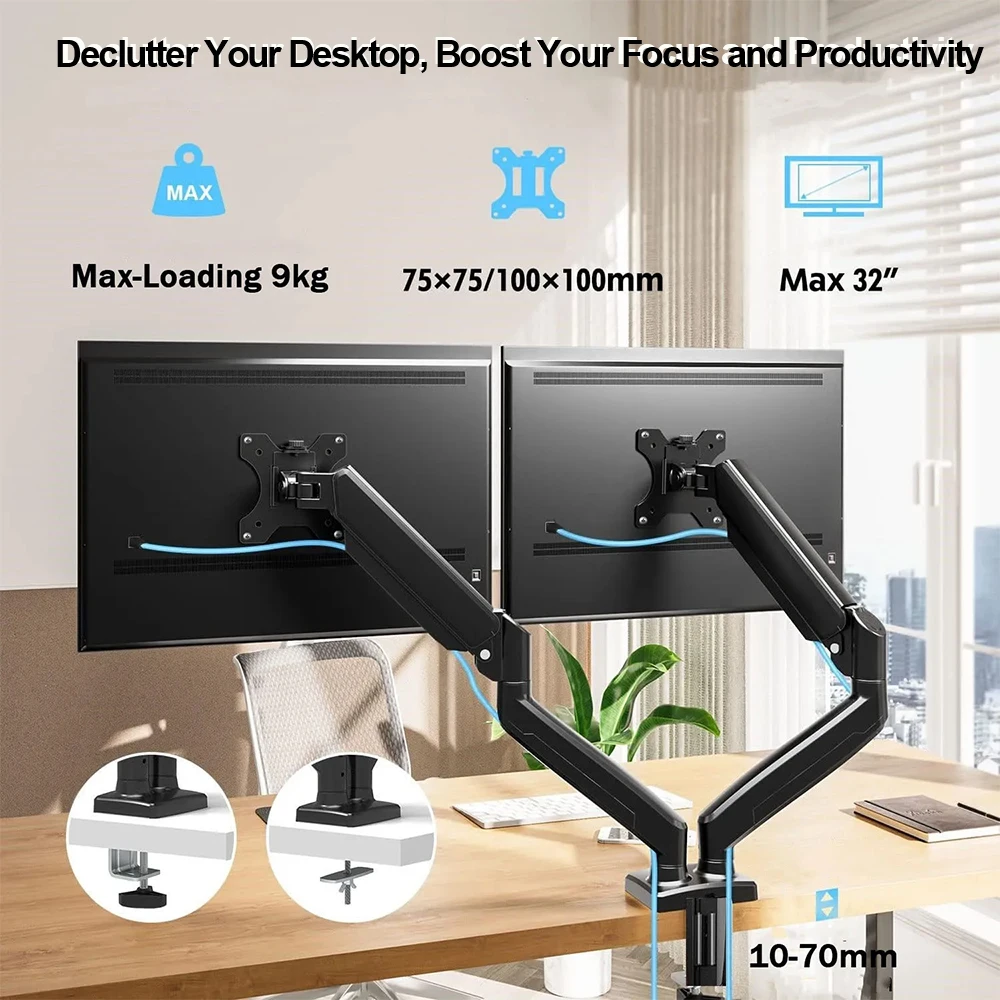
A dual monitor arm mounts both screens to a single vertical pole, usually with a crossbar or two arms branching off one base. This means one clamp point on your desk instead of two, which is useful if desk space or clamp room is tight. The tradeoff is that adjusting the height of the whole rig can shift both monitors at once, and the base itself takes up a fixed amount of depth right where it clamps on.
How two single arms work
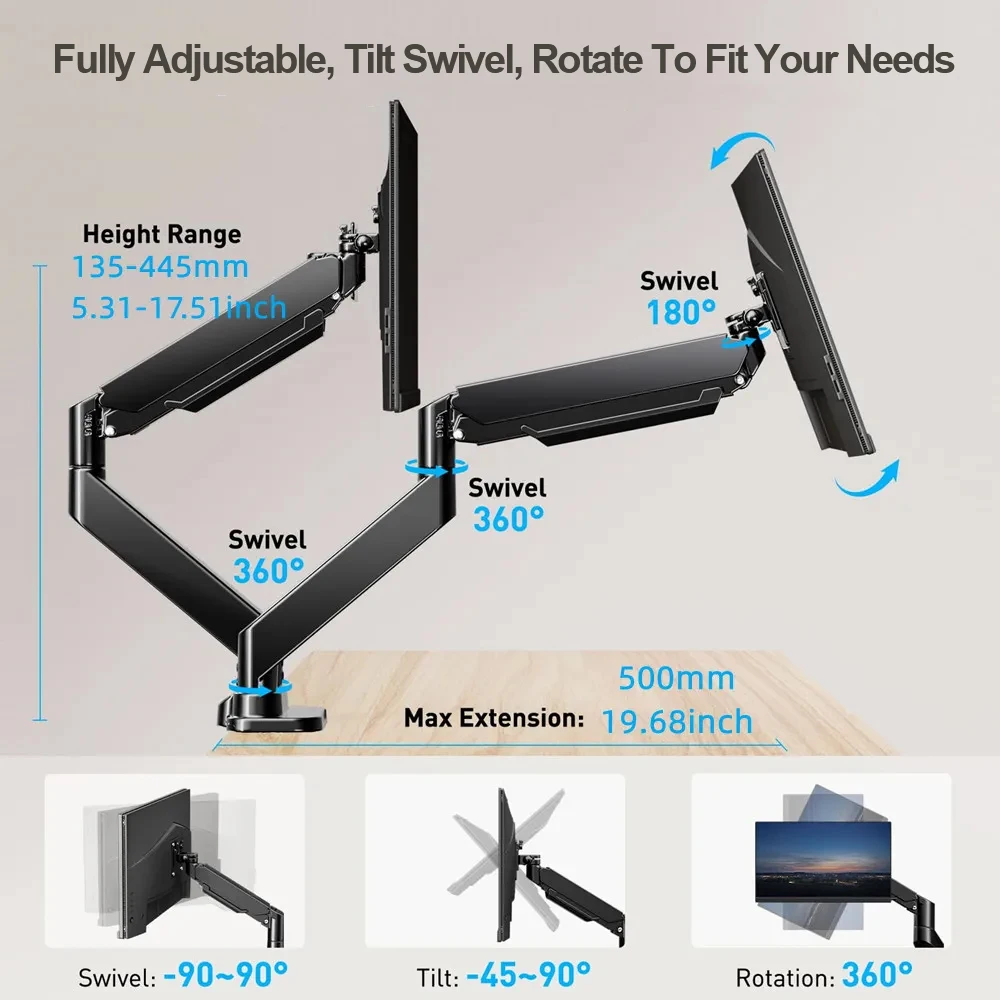
Two independent single arms each get their own clamp and their own full range of motion. You can angle one monitor toward you for focused work and swing the other one flat or away when you’re not using it — something a shared dual arm usually can’t do as cleanly. The cost is two clamp points on your desk edge, which can be a problem on narrower desks or desks where the mounting area is limited.
When a dual arm makes more sense
If your monitors are the same size and you mostly want them sitting side by side at a fixed angle — a common setup for spreadsheet work, coding, or general multitasking — a dual arm is usually simpler to install and tidier looking, since there’s only one pole and one set of cables to manage.
When two single arms make more sense
If your monitors are different sizes, if you frequently rotate one into portrait mode, or if you like to angle one screen toward a webcam or a second person, independent arms give you the flexibility to do that without fighting the mechanism. Streamers, video editors, and anyone who reconfigures their desk often tend to prefer this setup.
Desk space is the deciding factor for most people
On a desk under about 45 inches wide, two separate clamp points can start to feel cramped, especially if you also have a keyboard tray or other clamp-mounted accessories competing for edge space. In that situation, a dual arm’s single mounting point is the more practical choice even if you’d otherwise prefer the flexibility of two arms.
Example picks: a dual monitor arm on a shared base if your screens mostly stay side by side, or a single monitor arm (buy two) if you want each screen to move independently. (affiliate link)
Bottom line
Neither option is objectively better — it comes down to how much you move your screens day to day and how much clear desk edge you actually have. If you’re not sure, picture your daily use: do you constantly re-angle one monitor, or do they basically stay put once set? That answer usually makes the decision for you.
Leave a Reply